New TokScript Chrome Extension Is Live (And It Just Made Every Other TikTok Tool Obsolete)
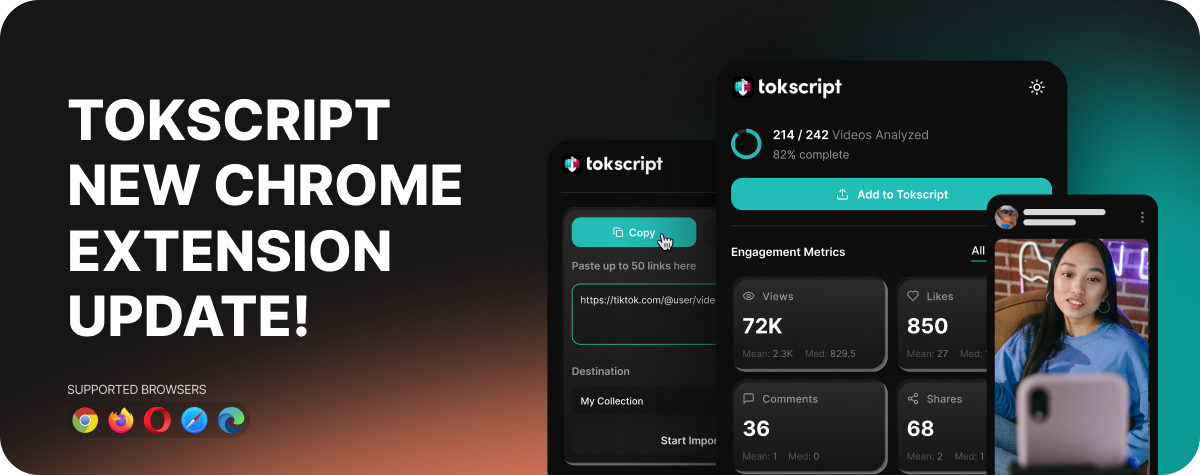
We just shipped a complete rebuild of the TokScript Chrome extension. It turns every TikTok session into a research session, automatically. No tab switching. No pasting usernames into other websites. No waiting on slow tools. No rate limits.
Install it once and TikTok will never look the same again. Here's what it does.
Click here to install the Chrome Extension
Real-Time Analytics on Any Creator Profile
Visit any TikTok creator's profile and the TokScript side panel automatically pops out on the right side of your screen. Scroll like you normally would. As you scroll, TokScript quietly captures every video TikTok sends to your browser and analyzes it in real time.
Once you're done scrolling, you instantly see total views, likes, comments, shares, bookmarks, and engagement rate across the entire profile. You also get a long vs short video breakdown, the most common video durations on that profile, daily posting frequency, and a full year posting heatmap showing exactly when they post and how consistent they are.
This is the data TikTok doesn't show you about anyone but yourself. Now it's one scroll away.
1-Click Transcript Copy on Any Video
See a video you love? Click the Transcript button and you have two options. Copy the full transcript instantly to paste into Claude, ChatGPT, Notion, or anywhere you work. Or download it as a file. Timestamped, formatted, and ready to use.
No more typing out videos manually. No more waiting on slow transcription services.
Bulk Link Import (From Any Website)
Click the pinned TokScript icon and you'll see a popup where you can paste up to 50 TikTok video links from anywhere on the internet. Slack messages, group chats, Twitter threads, blog posts, anywhere. Drop them in, pick a folder to organize them, hit Start Import, and they fly straight to your TokScript dashboard ready to action later.
Perfect for the pile of viral videos you've been meaning to analyze but never had a clean way to collect.
Add Any Profile to Your Dashboard With One Click
After you've scrolled through a creator's profile, hit Add to TokScript and every single video you scrolled flies straight into your TokScript dashboard. No re-scraping. No waiting. No data loss.
Once it's in your dashboard you can sort by engagement, filter by date range, and arrange the data however works best for you. Find the top performers, pick the videos that matter, and pull every transcript, video file, cover image, and caption in one go. Bulk export every transcript into one clean file in four AI-ready formats, then drag and drop it straight into Claude or ChatGPT to build your content strategy in minutes.
Keyword & Search Analytics
Search any keyword on TikTok and instantly see what's actually happening in that niche. Total videos, unique creator count, top creators ranked by appearance, the follower size of creators dominating the keyword (under 1K all the way up to 500K+), the real engagement range, how fresh the top results are, and the dominant video length.
You also get TikTok's autocomplete suggestions automatically captured as you type, organized by seed keyword. Your personal keyword research database, built while you work.
A Full Dashboard of Everything You've Collected
Click the TokScript icon to open the full extension dashboard. Five tabs covering everything you've researched: an overview with at-a-glance stats and your full activity feed, every keyword you've searched, every autocomplete suggestion captured, every For You Page batch with thumbnails, and every creator profile you've visited with their stats and content categories.
Every TikTok session becomes a research session. Every creator profile becomes competitive intel.
Privacy First
All data is stored locally in your browser. TokScript only reads data from TikTok responses that are already being sent to your browser as you scroll normally. Nothing leaves your browser without your explicit action. You can clear everything with one click anytime.
One Account. Everywhere You Work.
The Chrome extension is just one of five ways to use TokScript. Everything you capture in the extension syncs across all of them:
Chrome Extension (this one)
Web Dashboard
Desktop App for Mac and Windows
Mobile App for iPhone and Android
MCP Connector for Claude, ChatGPT, Claude Code, Cowork, Codex, and soon Manus
Capture on your laptop. Review on your phone. Action through Claude. Your research follows you everywhere.
Install It Now
Thirty seconds from now you'll have your first creator report, your first transcript, and your first keyword research dataset. Or you'll still be paying $99 a month for an inferior tool that makes you leave TikTok.
Click here to install the Chrome Extension and visit any TikTok profile to see it work.
Questions? Reach out in support.